
Mar 14, 2025 | 591 words | 6 min read
13.1.1. Task 1#
Learning Objectives#
Encrypt a plaintext into ciphertext.
Encode the ciphertext into an image at a specified bit offset.
Task Instructions#
Save the flowcharts for each of your tasks in tp3_team_1_teamnumber.pdf. You will also need to include these flowcharts in your final report.
Step 1: Encryption Functions#
Similarly to the Beaufort cipher, you implemented in Section 12.2.2, create functions that use the Rail Fence and Caesar cipher to encrypt a string. The functions should take two arguments: the plaintext message to be encrypted and the key. For the Caesar cipher, the key should be an integer representing the shift value. For the Rail Fence cipher, the key should be an integer representing the number of rails. These functions should return the encrypted ciphertext message. You can find details on the Rail Fence and Caesar ciphers in Section 12.1.1.
Note
Teams of 2 only need to implement the Beaufort cipher. Teams of 3 should implement the Beaufort cipher and one other cipher (either Rail Fence or Caesar). Teams of 4 or more should implement all three ciphers.
Step 2: Encoding Function#
Update the encoding function you wrote in Section 12.2.3 to embed the binary message into an image, so that it can insert the binary message at a specified bit offset. For example, if the offset is 5, the function should start encoding the message after the 5th bit of the image.
Step 3: Main Function#
Create a main function that collects the following inputs from the user:
a choice of encryption method (Caesar, Rail Fence, or Beaufort)
a plaintext message
an encryption key
the message start sequence
the message end sequence
the bit offset for encoding the message
the path to an input image file (image without any encoding)
the path to an output image file (where to save the encoded image)
the path to a comparison image file (pre-encoded image for checking)
The function should encrypt the message using the chosen cipher, add the start and end sequences to the message, then convert the encrypted message to binary, and encode it into the image starting after the specified bit offset.
If the encoding is not successful, the main function should display an error
message and stop. Otherwise, it should display a success message to the user and save
and display the modified image.
Finally, building on the image comparison function you wrote in
Section 12.2.1, the main function should compare the modified
image with the comparison image, displaying the resulting image difference and printing
whether the images are the same or different.
Use the files provided in the Table 13.2 to test your code.
Save your program as tp3_team_1_teamnumber.py.
Image File Name |
Cipher |
Key |
Plaintext |
Start Sequence |
End Sequence |
Bit Offset |
|---|---|---|---|---|---|---|
None |
None |
None |
None |
None |
None |
|
None |
None |
None |
None |
None |
None |
|
Rail Fence |
3 |
East |
12 |
21 |
13 |
|
Rail Fence |
6 |
ENGR 133! |
44 |
77 |
3 |
|
Beaufort |
Upa |
Boiler |
22 |
88 |
2 |
|
Beaufort |
is fun |
Math 101 |
31 |
&& |
15 |
|
Caesar |
159 |
Red Rose |
5 |
1 |
11 |
|
Caesar |
777 |
Love ENGR |
40 |
04 |
9 |


Sample Output#
Use the values in Table 13.3 below to test your program.
Case |
cipher choice |
plaintext |
cipher key |
start_seq |
end_seq |
bit offset |
input image path |
output image path |
compare image path |
|---|---|---|---|---|---|---|---|---|---|
1 |
rail fence |
East |
3 |
12 |
21 |
13 |
ref_gry.png |
gry_r.png |
ref_gry_r.png |
2 |
rail fence |
ENGR 133! |
6 |
44 |
77 |
3 |
ref_col.png |
col_r.png |
ref_col_r.png |
3 |
beaufort |
Boiler |
Upa |
22 |
88 |
2 |
ref_gry.png |
gry_b.png |
ref_gry_b.png |
4 |
beaufort |
Math 101 |
is fun |
31 |
&& |
15 |
ref_col.png |
col_b.png |
ref_col_b.png |
5 |
caesar |
Red Rose |
159 |
5 |
1 |
11 |
ref_gry.png |
gry_c.png |
ref_gry_c.png |
6 |
caesar |
Love ENGR |
777 |
40 |
04 |
9 |
ref_col.png |
col_c.png |
ref_col_c.png |
7 |
caesar |
Love ENGR |
778 |
40 |
04 |
9 |
ref_col.png |
col_c.png |
ref_col_c.png |
8 |
caesar |
Love ENGR |
777 |
40 |
04 |
25 |
ref_col.png |
col_c.png |
ref_col_c.png |
Ensure your program’s output matches the provided samples exactly. This includes all characters, white space, and punctuation. In the samples, user input is highlighted like this for clarity, but your program should not highlight user input in this way.
Case 1 Sample Output
$ python3 tp3_team_1_teamnumber.py Enter the cipher you want to use for encryption: rail fence Enter the plaintext you want to encrypt: East Enter the key for the cipher: 3 Enter the start sequence: 12 Enter the end sequence: 21 Enter the bit offset before you want to start encoding: 13 Enter the path of the input image: ref_gry.png Enter the path for your encoded image: gry_r.png Enter the path of the image you want to compare: ref_gry_r.png Encrypted Message using Rail Fence Cipher: Exats Binary output message: 00110001 00110010 01000101 01111000 01100001 01110100 01110011 00110010 00110001 Message successfully encoded and saved to: gry_r.png The images are the same.

Fig. 13.1 Case_1_gry_r.png#
Fig. 13.2 Case_1_plot_diff_image.png#
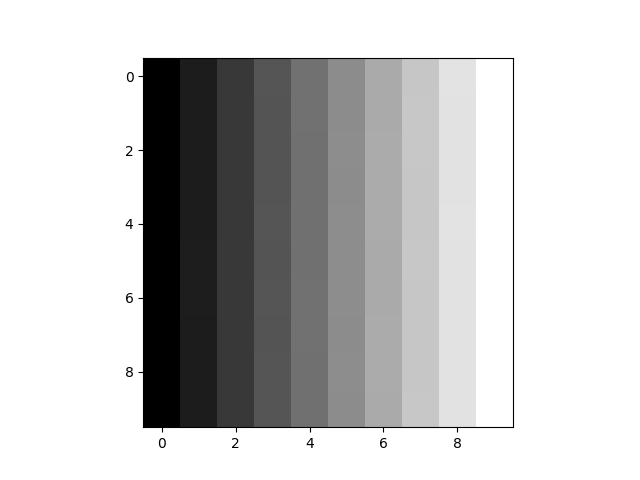
Fig. 13.3 Case_1_plot_gry_r.png#
Case 2 Sample Output
$ python3 tp3_team_1_teamnumber.py Enter the cipher you want to use for encryption: rail fence Enter the plaintext you want to encrypt: ENGR 133! Enter the key for the cipher: 6 Enter the start sequence: 44 Enter the end sequence: 77 Enter the bit offset before you want to start encoding: 3 Enter the path of the input image: ref_col.png Enter the path for your encoded image: col_r.png Enter the path of the image you want to compare: ref_col_r.png Encrypted Message using Rail Fence Cipher: ExNxG!R3 31 Binary output message: 00110100 00110100 01000101 01111000 01001110 01111000 01000111 00100001 01010010 00110011 00100000 00110011 00110001 00110111 00110111 Message successfully encoded and saved to: col_r.png The images are the same.

Fig. 13.4 Case_2_col_r.png#
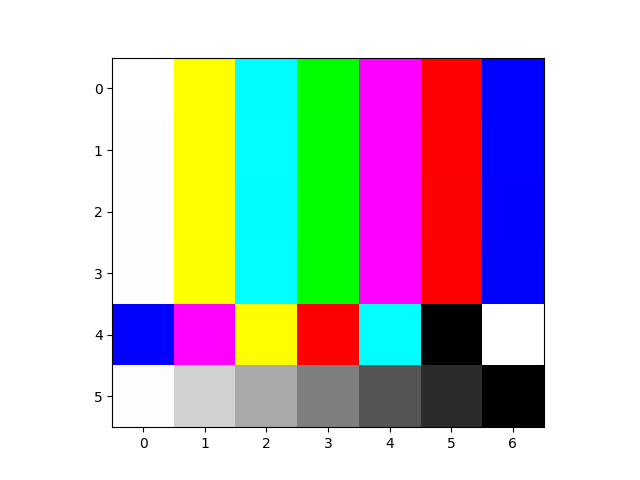
Fig. 13.5 Case_2_plot_col_r.png#
Fig. 13.6 Case_2_plot_diff_image.png#
Case 3 Sample Output
$ python3 tp3_team_1_teamnumber.py Enter the cipher you want to use for encryption: beaufort Enter the plaintext you want to encrypt: Boiler Enter the key for the cipher: Upa Enter the start sequence: 22 Enter the end sequence: 88 Enter the bit offset before you want to start encoding: 2 Enter the path of the input image: ref_gry.png Enter the path for your encoded image: gry_b.png Enter the path of the image you want to compare: ref_gry_b.png Encrypted Message using Beaufort Cipher: tb2jlt Binary output message: 00110010 00110010 01110100 01100010 00110010 01101010 01101100 01110100 00111000 00111000 Message successfully encoded and saved to: gry_b.png The images are the same.

Fig. 13.7 Case_3_gry_b.png#
Fig. 13.8 Case_3_plot_diff_image.png#
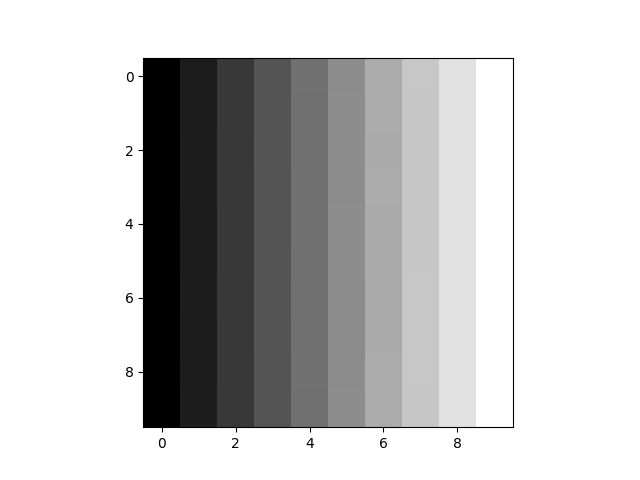
Fig. 13.9 Case_3_plot_gry_b.png#
Case 4 Sample Output
$ python3 tp3_team_1_teamnumber.py Enter the cipher you want to use for encryption: beaufort Enter the plaintext you want to encrypt: Math 101 Enter the key for the cipher: is fun Enter the start sequence: 31 Enter the end sequence: && Enter the bit offset before you want to start encoding: 15 Enter the path of the input image: ref_col.png Enter the path for your encoded image: col_b.png Enter the path of the image you want to compare: ref_col_b.png Encrypted Message using Beaufort Cipher: 6sr8 ws1 Binary output message: 00110011 00110001 00110110 01110011 01110010 00111000 00100000 01110111 01110011 00110001 00100110 00100110 Message successfully encoded and saved to: col_b.png The images are the same.

Fig. 13.10 Case_4_col_b.png#
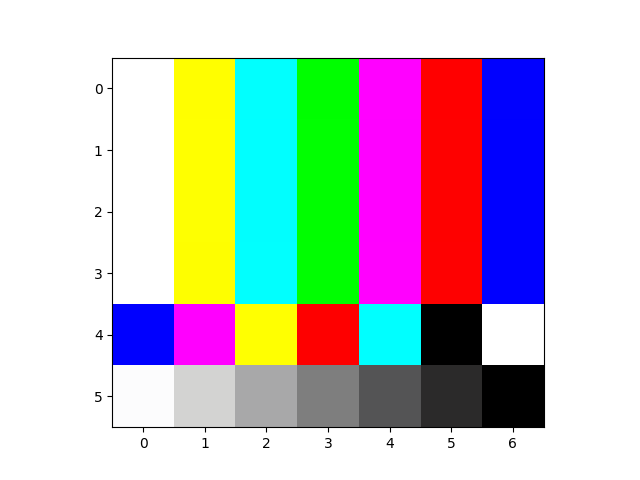
Fig. 13.11 Case_4_plot_col_b.png#
Fig. 13.12 Case_4_plot_diff_image.png#
Case 5 Sample Output
$ python3 tp3_team_1_teamnumber.py Enter the cipher you want to use for encryption: caesar Enter the plaintext you want to encrypt: Red Rose Enter the key for the cipher: 159 Enter the start sequence: 5 Enter the end sequence: 1 Enter the bit offset before you want to start encoding: 11 Enter the path of the input image: ref_gry.png Enter the path for your encoded image: gry_c.png Enter the path of the image you want to compare: ref_gry_c.png Encrypted Message using Caesar Cipher: Uhg Urvh Binary output message: 00110101 01010101 01101000 01100111 00100000 01010101 01110010 01110110 01101000 00110001 Message successfully encoded and saved to: gry_c.png The images are the same.

Fig. 13.13 Case_5_gry_c.png#
Fig. 13.14 Case_5_plot_diff_image.png#
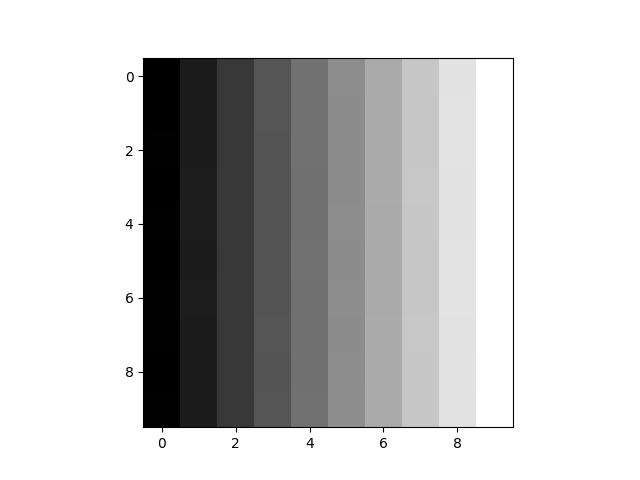
Fig. 13.15 Case_5_plot_gry_c.png#
Case 6 Sample Output
$ python3 tp3_team_1_teamnumber.py Enter the cipher you want to use for encryption: caesar Enter the plaintext you want to encrypt: Love ENGR Enter the key for the cipher: 777 Enter the start sequence: 40 Enter the end sequence: 04 Enter the bit offset before you want to start encoding: 9 Enter the path of the input image: ref_col.png Enter the path for your encoded image: col_c.png Enter the path of the image you want to compare: ref_col_c.png Encrypted Message using Caesar Cipher: Ilsb BKDO Binary output message: 00110100 00110000 01001001 01101100 01110011 01100010 00100000 01000010 01001011 01000100 01001111 00110000 00110100 Message successfully encoded and saved to: col_c.png The images are the same.

Fig. 13.16 Case_6_col_c.png#
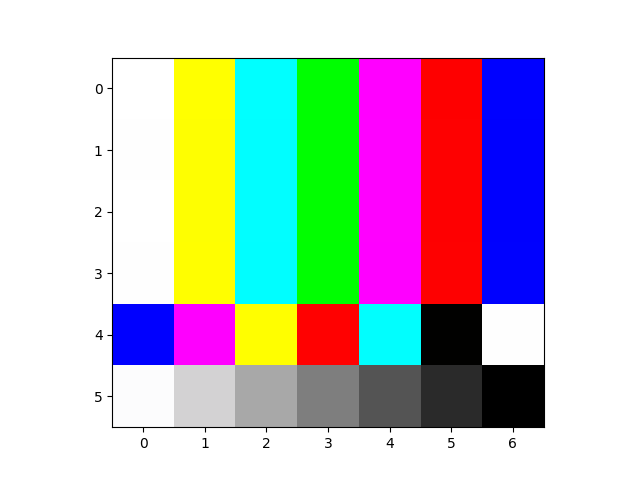
Fig. 13.17 Case_6_plot_col_c.png#
Fig. 13.18 Case_6_plot_diff_image.png#
Case 7 Sample Output
$ python3 tp3_team_1_teamnumber.py Enter the cipher you want to use for encryption: caesar Enter the plaintext you want to encrypt: Love ENGR Enter the key for the cipher: 778 Enter the start sequence: 40 Enter the end sequence: 04 Enter the bit offset before you want to start encoding: 9 Enter the path of the input image: ref_col.png Enter the path for your encoded image: col_c.png Enter the path of the image you want to compare: ref_col_c.png Encrypted Message using Caesar Cipher: Jmtc CLEP Binary output message: 00110100 00110000 01001010 01101101 01110100 01100011 00100000 01000011 01001100 01000101 01010000 00110000 00110100 Message successfully encoded and saved to: col_c.png The images are different.

Fig. 13.19 Case_7_col_c.png#
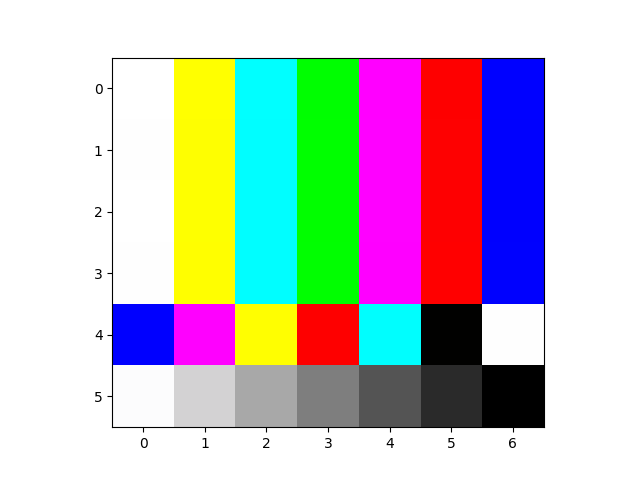
Fig. 13.20 Case_7_plot_col_c.png#
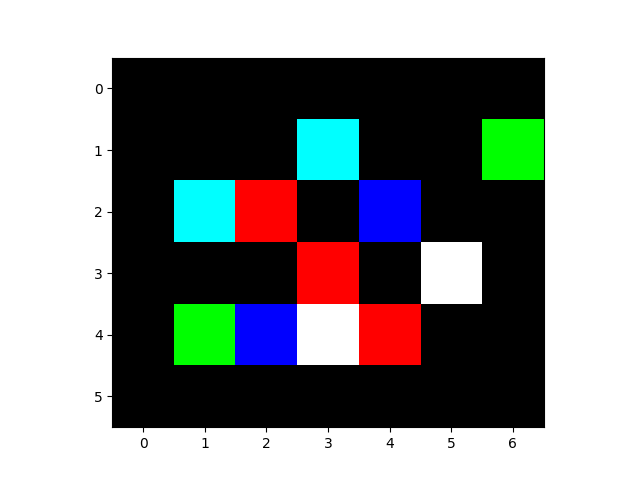
Fig. 13.21 Case_7_plot_diff_image.png#
Case 8 Sample Output
$ python3 tp3_team_1_teamnumber.py Enter the cipher you want to use for encryption: caesar Enter the plaintext you want to encrypt: Love ENGR Enter the key for the cipher: 777 Enter the start sequence: 40 Enter the end sequence: 04 Enter the bit offset before you want to start encoding: 25 Enter the path of the input image: ref_col.png Enter the path for your encoded image: col_c.png Enter the path of the image you want to compare: ref_col_c.png Given message is too long to be encoded in the image. Encrypted Message using Caesar Cipher: Ilsb BKDO Binary output message: 00110100 00110000 01001001 01101100 01110011 01100010 00100000 01000010 01001011 01000100 01001111 00110000 00110100
Deliverables |
Description |
|---|---|
tp3_team_1_teamnumber.py |
Your completed Python code. |
tp3_team_1_teamnumber.pdf |
Flowchart(s) for this task. |