
Mar 14, 2025 | 469 words | 5 min read
17.3.1. Task 1#
Learning Objectives#
Read and display images in MATLAB; Utilize image processing to modify data
Introduction#
Image rotation is an increasingly commonly used feature in many smart-phone image apps. In this problem, you will create an implementation of image rotation based on user input in MATLAB.
Task Instructions#
Draft a flowchart for this task and save it as ma4_ind_1_username.pdf.
Open the
ENGR133_MATLAB_UDF_Template.mMATLAB template and complete the header information. Save your script as ma4_ind_1_username.m.Create a MATLAB program that reads
block.pngimage file and outputs the image to the screen as Figure 1 using theimshowcommand. Properly label this image as “Color Original Image”.imreadreturns an array of row X column X frames. The number of frames for a colored image is generally ‘3’ (RGB) or ‘5’. Convert the image into a grayscale image using the built-in MATLAB functionrgb2gray. Output the image to the screen as Figure 2 and label it as “Grayscale Original Image”Use
menufunction to ask the user to choose either the colored original image or grayscale image.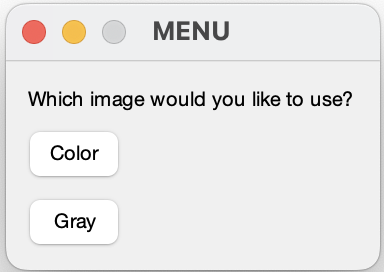
Fig. 17.1 Example user option for colors using
menufunction#Use
menufunction again to ask the user to select a flipping direction for the image they have chosen above.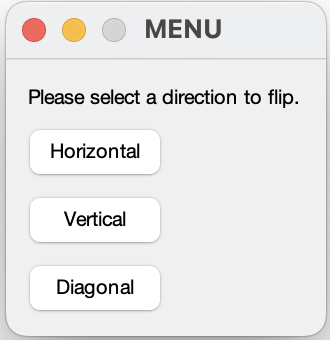
Fig. 17.2 Example user option for flipping a direction using
menufunction#Open the
ENGR133_MATLAB_UDF_Template.mMATLAB template and write the following user-defined functions:ma4_ind_1_vertical_username.m, which flips the image vertically (i.e. over a horizontal line that runs through the center of the image). Use only nested for loops to rotate the image.
ma4_ind_1_horizontal_username.m, which flips the image horizontally (i.e. over a vertical line that runs through the center of the image). Use only nested for loops to rotate the image.
ma4_ind_1_diagonal_username.m, flips the image over a diagonal line that runs from the top left to the bottom right of the image. Use either nested loops or transpose/permute to rotate the image.
permutecan be used to rearrange the dimensions of a multidimensional array.Hint
For more information on using
permute, see the official documentation.Publish each of your UDF scripts as ma4_ind_1_vertical_pub_username.pdf, ma4_ind_1_horizontal_pub_username.pdf, and ma4_ind_1_diagonal_pub_username.pdf.
Note
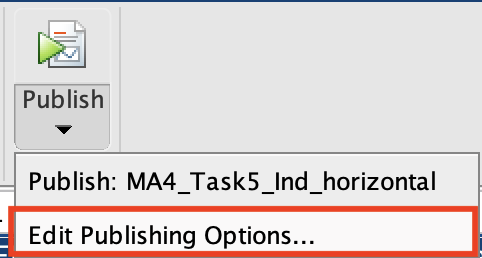
MATLAB will produce an error if you try to publish a script that requires user input.
Thus, we need to update our publishing option accordingly:
Output the rotated image to the screen as Figure 3 and label the output “Image Flipped XX” where XX indicates the selection by the user (vertical, horizonal, or diagonal).
Publish ma4_ind_1_username.m as a PDF using one of the test cases and name it ma4_ind_1_username.pdf.
Submit all of your deliverables to Gradescope.

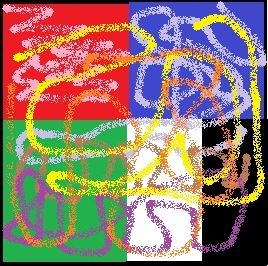
Example Outputs:
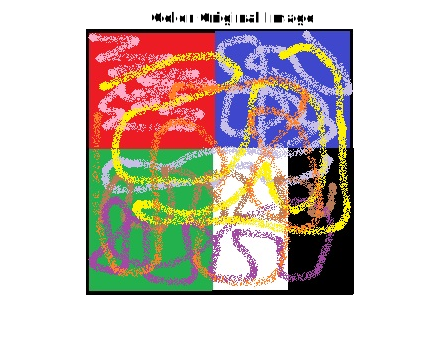
Fig. 17.5 The original downloadable image.#
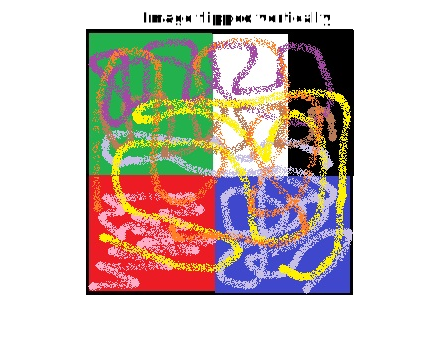
Fig. 17.6 The image flipped vertically.#
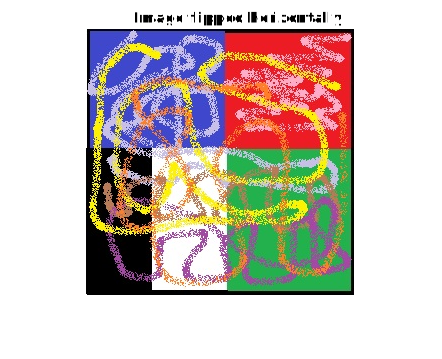
Fig. 17.7 The image flipped horizontally.#
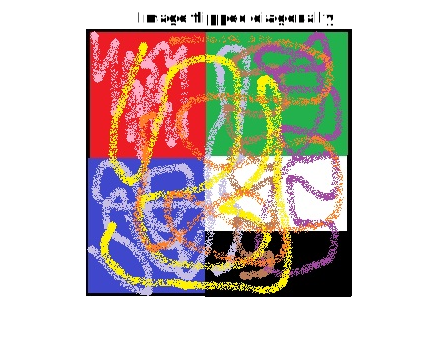
Fig. 17.8 The image flipped diagonally.#
Deliverables |
Description |
|---|---|
ma4_ind_1_horizontal_username.m |
Your completed MATLAB code. |
ma4_ind_1_horizontal_pub_username.pdf |
PDF with published MATLAB code |
ma4_ind_1_vertical_username.m |
Your completed MATLAB code. |
ma4_ind_1_vertical_pub_username.pdf |
PDF with published MATLAB code |
ma4_ind_1_diagonal_username.m |
Your completed MATLAB code. |
ma4_ind_1_diagonal_pub_username.pdf |
PDF with published MATLAB code |
ma4_ind_1_username.m |
Your completed MATLAB code. |
ma4_ind_1_username.pdf |
Flowchart(s) for this task. |